
In this post, we’re going to take a look at 23 different examples of good-to-high-end cable management. So, if you’re looking for some inspiration for wiring your upcoming build, these examples should get you going in the right direction.
If there is any aspect of building a new PC setup that most often gets overlooked, it’s cable management. If you don’t know what cable management is (in reference to building a PC or battlestation), it can be summed up as the act of routing the cables in your computer or behind your desk in such a way to where they look clean and organized and to where they aren’t obstructing the air flow in your computer’s case.
Now, I’m not a cable nazi by any means. I do think that, for the most part, a moderate effort to keep the cables away from your motherboard and case fans is, in most cases, a good enough effort as long as your main goal is to build a PC that will allow you to play your favorite games.
However, I do really appreciate flawless cable management. There are not a whole lot of things in life that I find more appealing than a clean-looking computer with excellent cabling.
And, if you want more than just a gaming PC—if you want something that is really attractive and impressive—then you need to make sure your cabling is on point.
In order to help you get an idea of what good cable management looks like and to inspire your new upcoming build, I’ve collected a few examples of some really good cabling.
I’ve pulled these examples from users across the web (mainly from Reddit) and have linked back to their original posts. If you think you have a great example of cable management, you can email it to me at bhale@elitegamingcomputers.com and I will consider adding it to this post.

Posted by Reddit user u/lowfat32 here.
Somehow this genius figured out a way to make his piping look like part of his cable setup and his cable setup to look like his piping. Cable management like this only comes around one in a millennium… eat your heart out boys and girls.

Posted by Reddit user u/lordtris here.
Often times, we congratulate system builders on their cable management when, in reality, all they have done is hidden their cable mess behind their desk. However, there are a few among us who take cable management a bit more serious. To those select few… we salute you, oh manager of cables in the unseen realm of “behind-the-desk.”

Posted by Reddit user u/NannerMan9000 here.
There’s good cable management and then there’s next-level cable management. It’s not that this builder pulled any kind of magic tricks on their cabling, but rather that they matched their cables to their fans and power supply that takes this build to a whole new level.

Posted by Overclock.net user Jameswalt1 here.
I didn’t realize how much I liked a green, black, white, and gray color scheme until I saw this dandy…

Posted by Reddit user u/_a7kr here.
Keeping your cables well-organized behind your motherboard is akin to clean cabling behind your desk. It’s a next-level effort only carried out by the purest of cable managers.
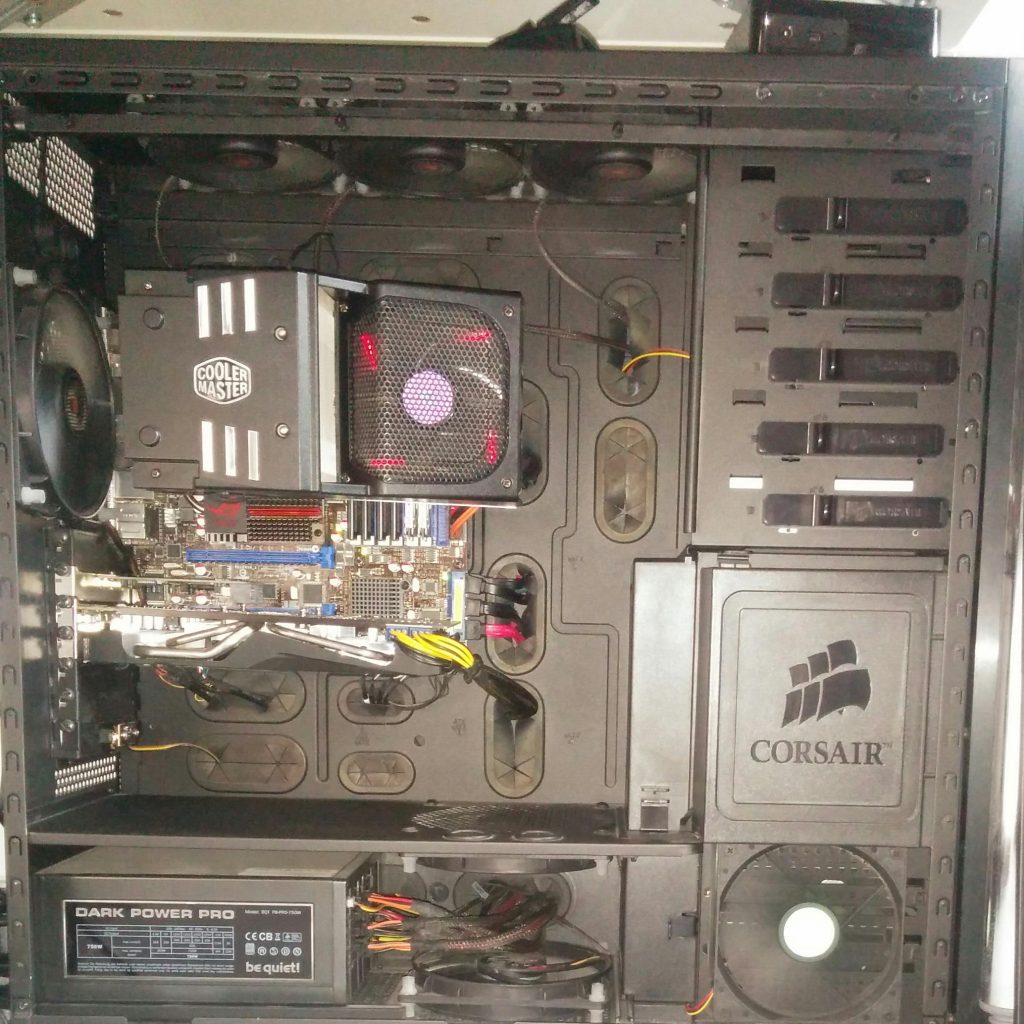
Posted by Reddit user u/schwimmbux here.
There’s nothing spectacular here. Just some good ole fashioned cable management. It gets the job done.
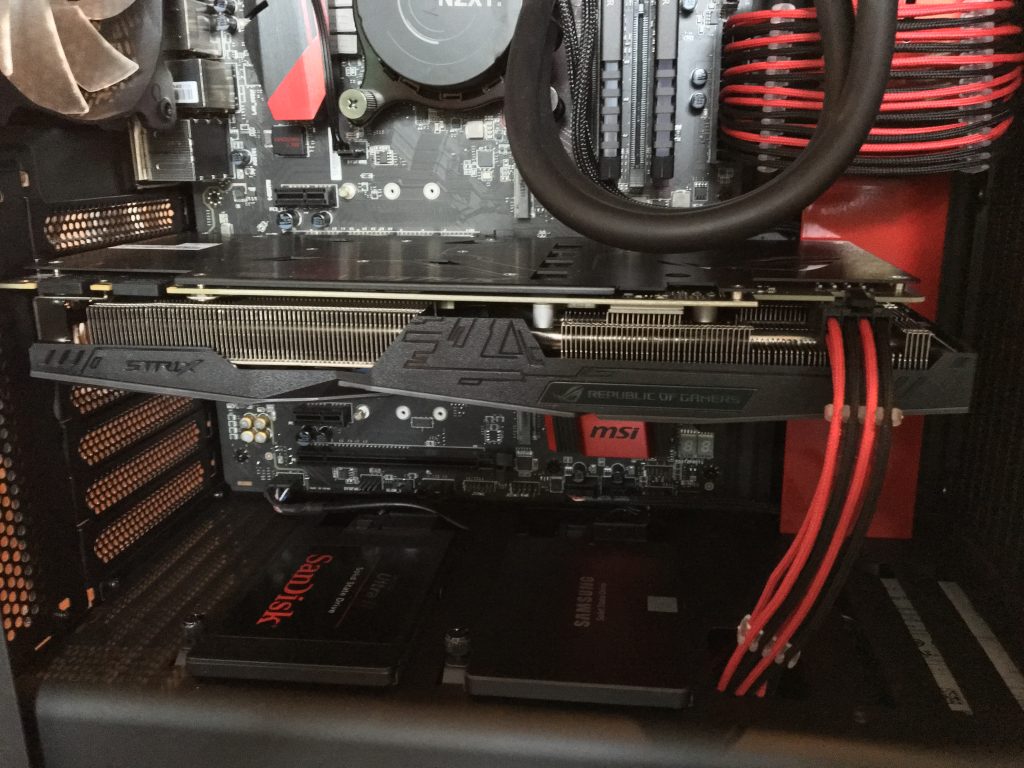
Posted by Reddit user u/aHaloKid here.
When you have a nice looking build as is and your cabling skills make it look even better, you’ve accomplished something few ever will.

Posted by Reddit user u/Klutz00 here.
If you have a big case and you don’t do a great job on your cables, it’s not the end of the world. However, if you’re building a small form-factor gaming PC and you don’t put emphasis on good cable management, you’re going to get yourself into a bind. This, though, is a good example of cable management in a small case.

Posted by Reddit user u/WhiterRice here.
This is a good example of cable management, for sure, however, it also shows how much a good case can make making your cable look nice that much easier. The red panel that goes over the power supply and extends along the side of the case’s side panel makes it really easy to hide all of the cables from the power supply.
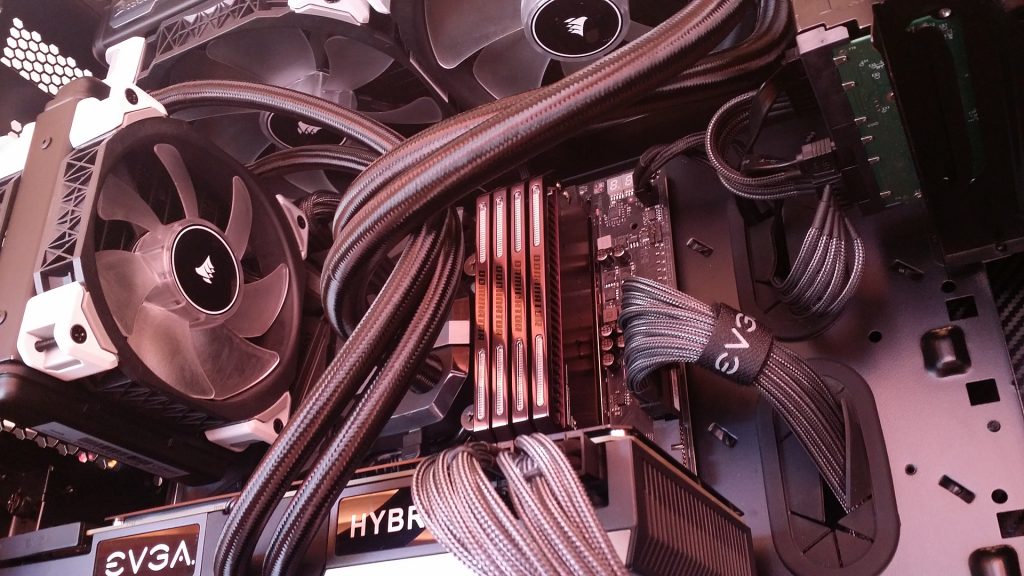
Posted by Reddit user u/Angrypolska here.
Another instance where the cables actually enhance the visual appeal of an already nice-looking build, rather than detract from it.
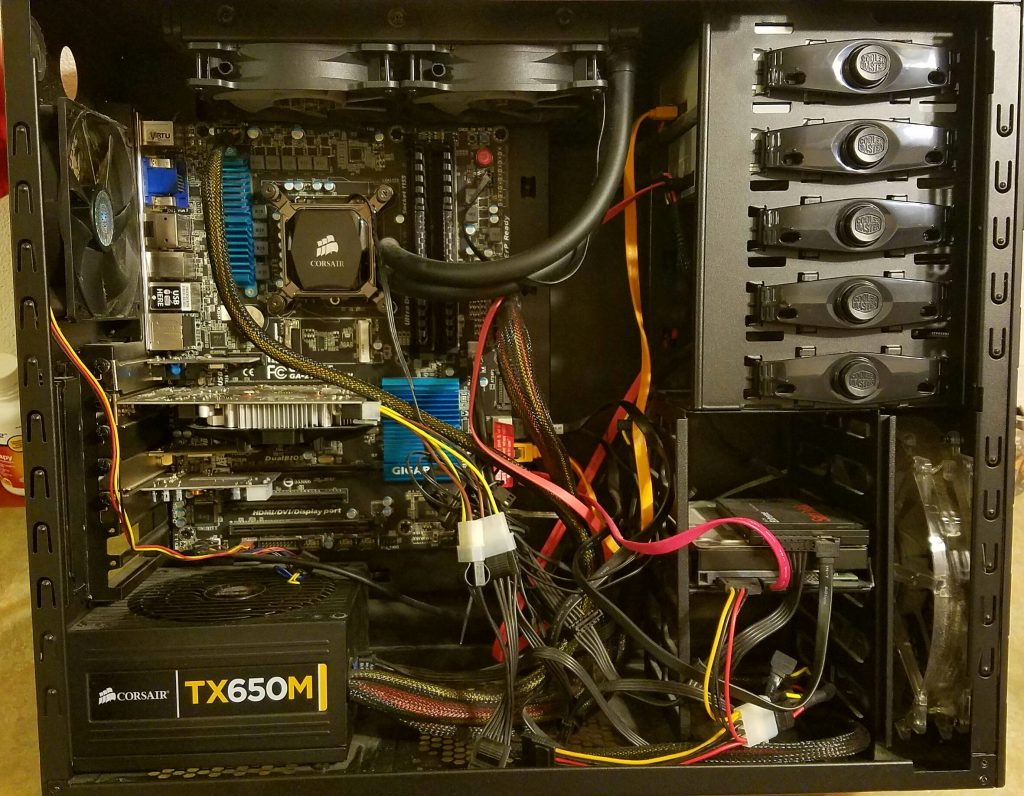
Posted by Reddit user u/stuck_limo here.
Did I catch you sleeping?! This, clearly, is not a good example of clean cable management. However, this is what the majority of people’s builds look like. And, for those people, who are more concerned with gaming performance , it’s probably not going to be a big deal. You just won’t be able to open it up and WOW anyone.

Posted by Reddit user u/stuck_limo here.
This build is a good example of how you can blend your cables into your build so they almost aren’t seen at all. Of course, the picture is taken in the dark, but the black cables and black case make the lights and white highlights really stand out.

Posted by Reddit user u/ayybasketballs here.
I like this as an example of having almost no cables showing. Makes the build look really clean. The PSU shroud also gives it a sleeker feel.

Posted by Reddit user u/gibson_guy77 here.
This isn’t the first example of cable sleeves in this post, but I figured I’d post a closeup of some good sleeving. Really, cable management is all about efficiently directing your cables so as to keep them as clean-looking and as out-of-the-way as possible. However, sleeving allows you to add an element of style to your cables.

Build by Darwin PC. You can see the build log here.
This custom modded build is obviously much more than just good cable management. This is God Mode level modding. However, you can’t go God Mode on a custom setup unless you’re cable management is also God Mode level. The cabling here is just one incredible part among many inside this ridiculous setup.

Posted by Reddit user u/Mocha_Bean here.
This is another example of solid cabling skills. Obviously, it’s not color coordinated and it doesn’t have a bunch of fancy sleeving, but this is what ‘standard’ good cable management looks like. Nice, clean, and efficient.

Posted by imgur user u/keysersohitstaken here.
Another example of how a power supply shroud can hide a huge bulk of messy cables and create a nice, clean look. Using a PSU shroud may not qualify as ‘good’ cable routing per se (afterall, there could be a mess under there!), but it does help hide your cables and make your system look better.

Posted by Reddit user u/sourcekappie here.
Just because you don’t have a super-high-end system doesn’t mean you should forego doing cable management. This is an example of a budget gaming PC that has very good cable management. There’s obviously nothing fancy here… no sleeves, no sleek color scheme, no PSU shroud, etc. It’s just good cabling in an affordable system.
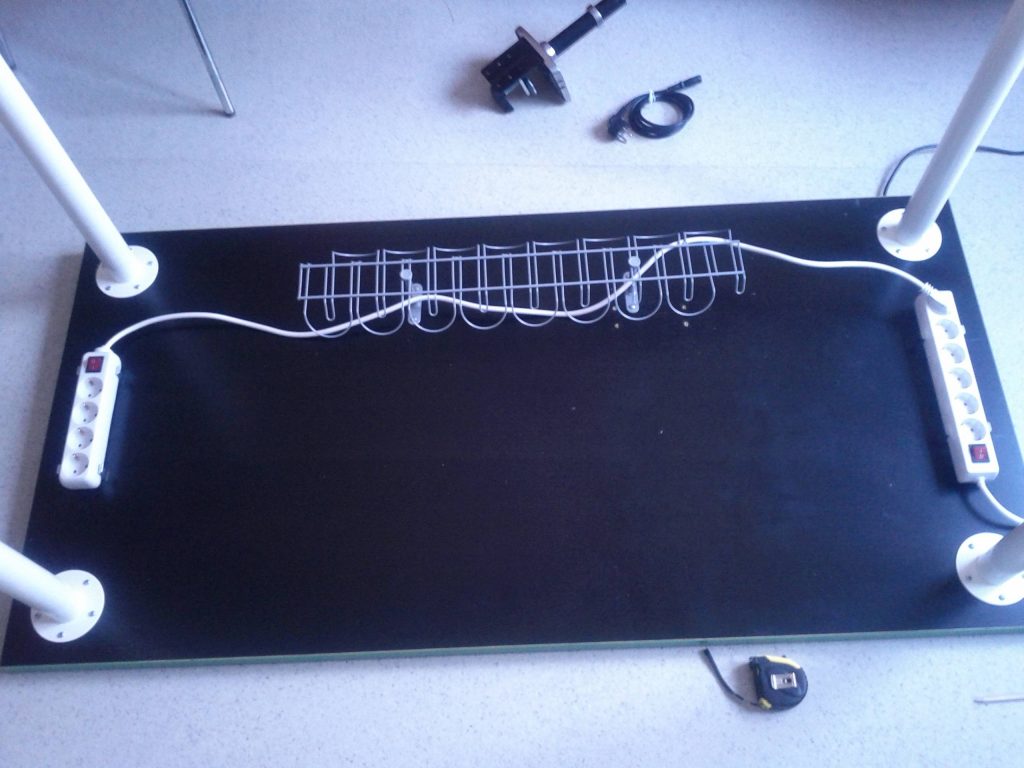
Posted by Reddit user u/henryheikkinen here.
Not a completed project, but this is a good example of items you can use to improve upon your cabling behind and under your desk. Using a cable tray and mounting your power strips underneath your desk can help you hide the rat’s nest of cables that so often ruin the overall look of battlestations and gaming setups.

Posted by Reddit user u/Rikardny here.
A nice clean red and black themed build with some solid cabling going on.

Posted by Reddit user u/MexCelsior here.
I love the black and blue color scheme here. It’s well thought out. And, with good cable management, this build has a really sleek feel to it.

Posted by Reddit user u/Brodholm here.
Another example of superb behind-motherboard cable management. You really have to be dedicated to the cause to use this much precision with the cables behind your motherboard. Ultimately, this is just another example of next-level cabling skills.

Posted by Reddit user u/The_Angriest_Guy here.
A PSU shroud, sleeved cabling, liquid-cooling, black and white color scheme… This is a great example of how good cabling skills, paired with a nice color scheme, and the clean look of a closed-loop CPU cooler can really make a build look sharp.

Posted by Reddit user u/p0Pe here.
Aside from how incredible this build is, one thing it does well is utilizing cable combs. Essentially, cable combs are a great tool to organize a group of cables so that you can condense them and make them look much cleaner and more organized. Since wiring a 4-way GPU configuration can be somewhat messy and difficult to get in place, these custom cable combs make the job much easier and give it a sleeker look.
How Good is Your Cable Management?
Again, these are examples of some of the best cable management out there. If you are simply looking to build a computer that will allow you to play your games on the highest settings and you don’t care what the inside of your PC looks like, you don’t necessarily have to take your cabling to the extreme some of these setups have.
However, you should put some effort into your cabling so as to ensure that your case maintains good airflow.
And, if you are looking to put together a really nice-looking setup, hopefully these examples have given you some ideas. In an upcoming post, I’m going to go over a handful of tips you can implement in your new build that will help make cable management a bit easier.
Leave a Reply